Approving or rejecting a beneficiary
Whenever a beneficiary is created that requires approval, you will see an entry in the list on that indicates how many beneficiaries are awaiting approval.
To approve or reject a beneficiary
- On , under , click .
The window appears with a list of the beneficiaries that are pending approval. - Click on the beneficiary's name in the column.
A summary of the beneficiary's information is displayed.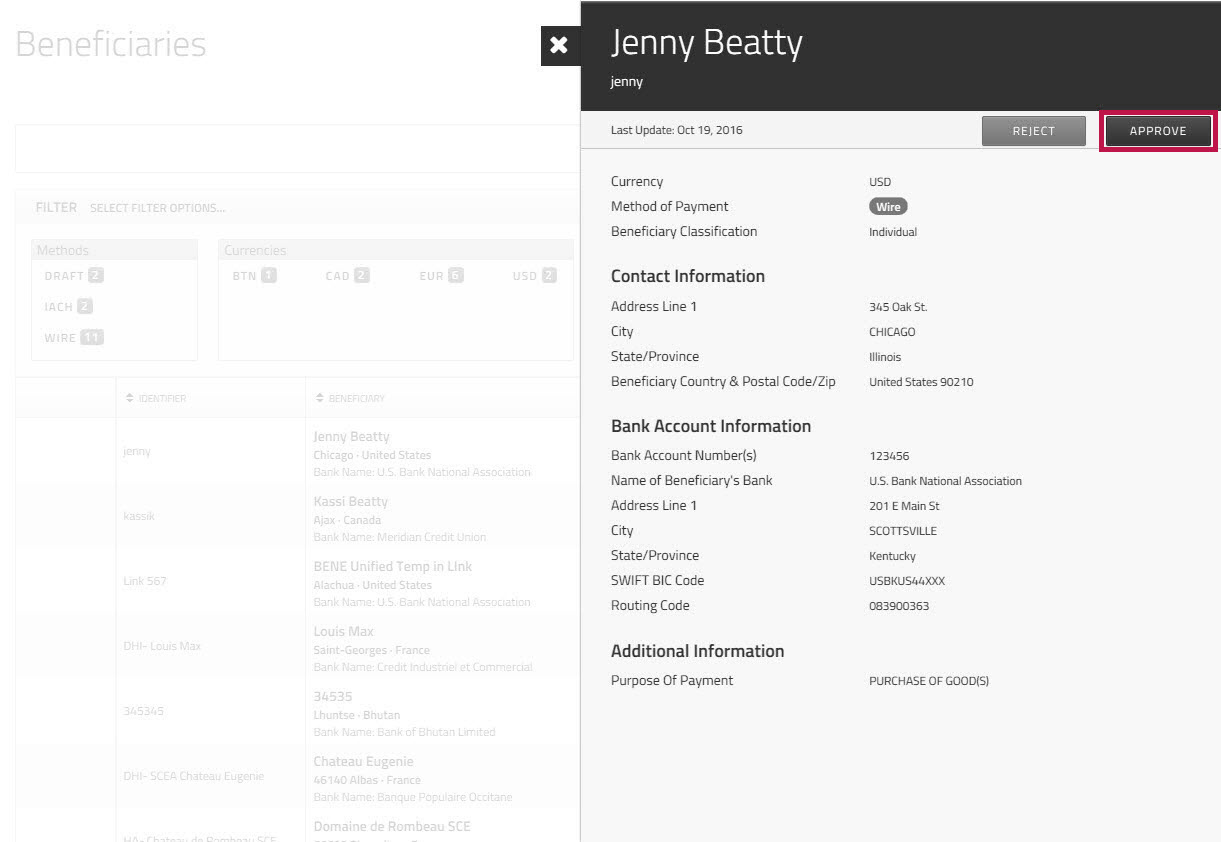
- Click to approve the beneficiary.
A message appears at the top of the page to confirm that the beneficiary has been approved.
The beneficiary's status is now , and you can make payments to this beneficiary.
OR
Click to reject the beneficiary.
A confirmation dialog asks you to confirm that you want to reject the beneficiary, and asks you to provide a reason for the rejection.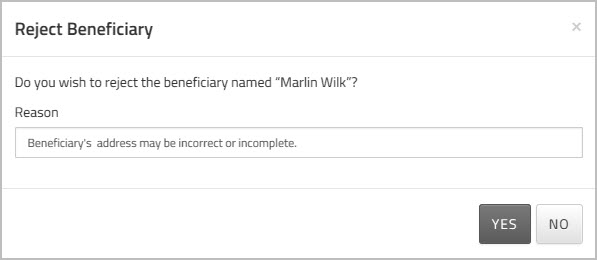
In the field, enter the reason that you are rejecting the payment.
Note: Be as clear as you can so that the person who created the beneficiary will know what they have to do to fix it.
Click to confirm that you want to reject the beneficiary.
 Beneficiary Verification
To help prevent payment errors, UK and EU regulations require payee name checks before payments are processed. The system automatically performs a verification check when you create, or update a beneficiary record. These checks confirm that the that beneficiary details are accurate and match the associated bank account information before a payment is processed. For more details see, Beneficiary Verification.
When a template is submitted for approval, the approver can review the beneficiary screening results before approving or rejecting the template. The approval modal displays any verification errors and suggested match (if available).
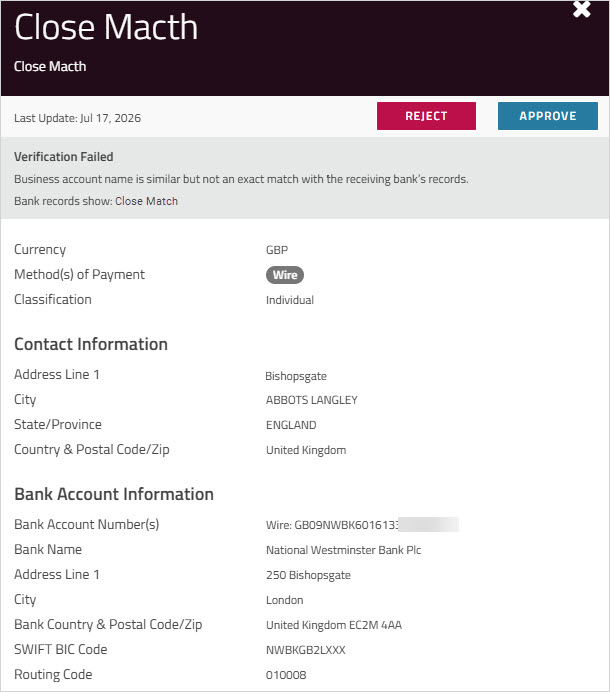
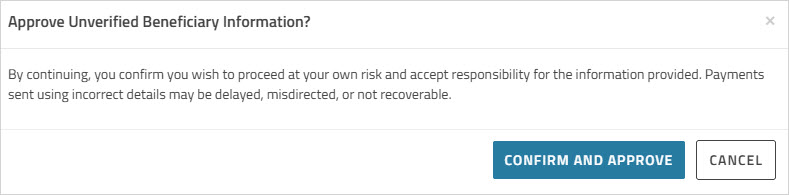
If the approver chooses to approve a template that has failed verification, a warning dialog appears to confirm that they accept responsibility for the accuracy of the beneficiary information and acknowledge any associated payment risks.